 PC2Radio
Software MPX, without the mystery
Understand what software MPX does, how it differs from ordinary stereo audio, and what belongs between your computer and FM transmitter.
Read the guide →A clearer path from programme audio to FM. Explore software MPX, choose the right connection and take a first look at our own pc2radio MPX project.
Find your starting pointPractical explanations from PCS Electronics.
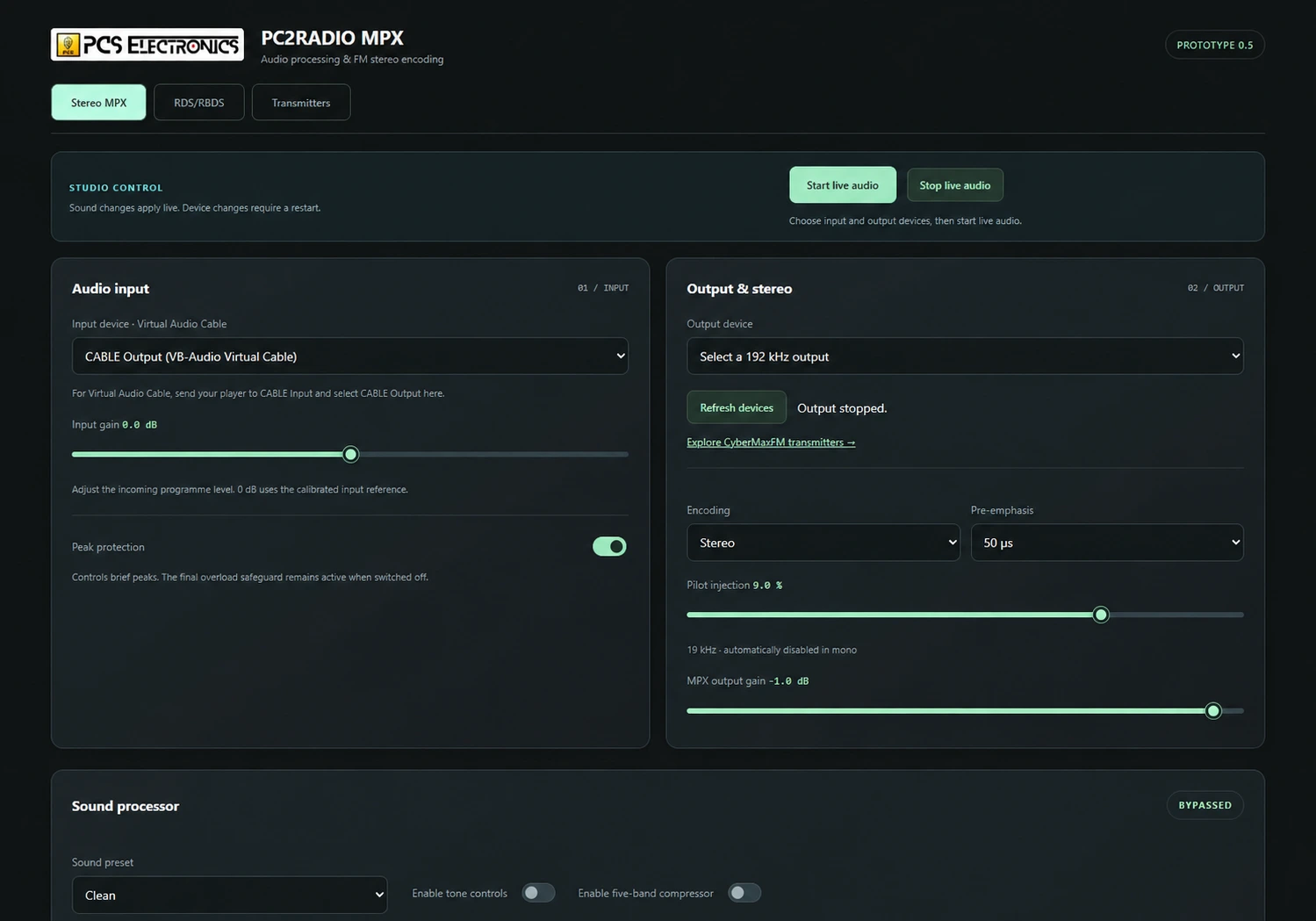
Our audio-processing and stereo/RDS project, shown through the actual Windows prototype. See the controls, signal path and what is still being tested.
Explore the software previewDevelopment preview · Not a public release
Understand what software MPX does, how it differs from ordinary stereo audio, and what belongs between your computer and FM transmitter.
Read the guide →Choose between a local MPX cable and a network link to a remote FM transmitter, with the equipment needed at each end.
Read the guide →Check sample rate, output bandwidth, drivers and calibration before connecting a computer-generated MPX signal to an FM transmitter.
Read the guide →Choose a starting point. We’ll point you to the guide that helps with the next decision.
Start by checking the transmitter’s MPX input and a suitable audio interface. See the interface checklist →
Send your transmitter model, operating system, audio interface and whether the transmitter is local or remote.
Email demerzel@pcs-electronics.com →Advice, product prices and orders are handled by PCS Electronics.
Before transmitting, confirm the authorisation and technical requirements for your location with the relevant authority.
We use optional analytics cookies to understand how visitors use this website. You can accept or reject them.